ohmytoken
Visualize your AI token usage as real-time pixel art with customizable boards, animations, achievements, and social sharing powered by ohmytoken.
Description
ohmytoken
Your AI spending, visualized as pixel art. In real-time.
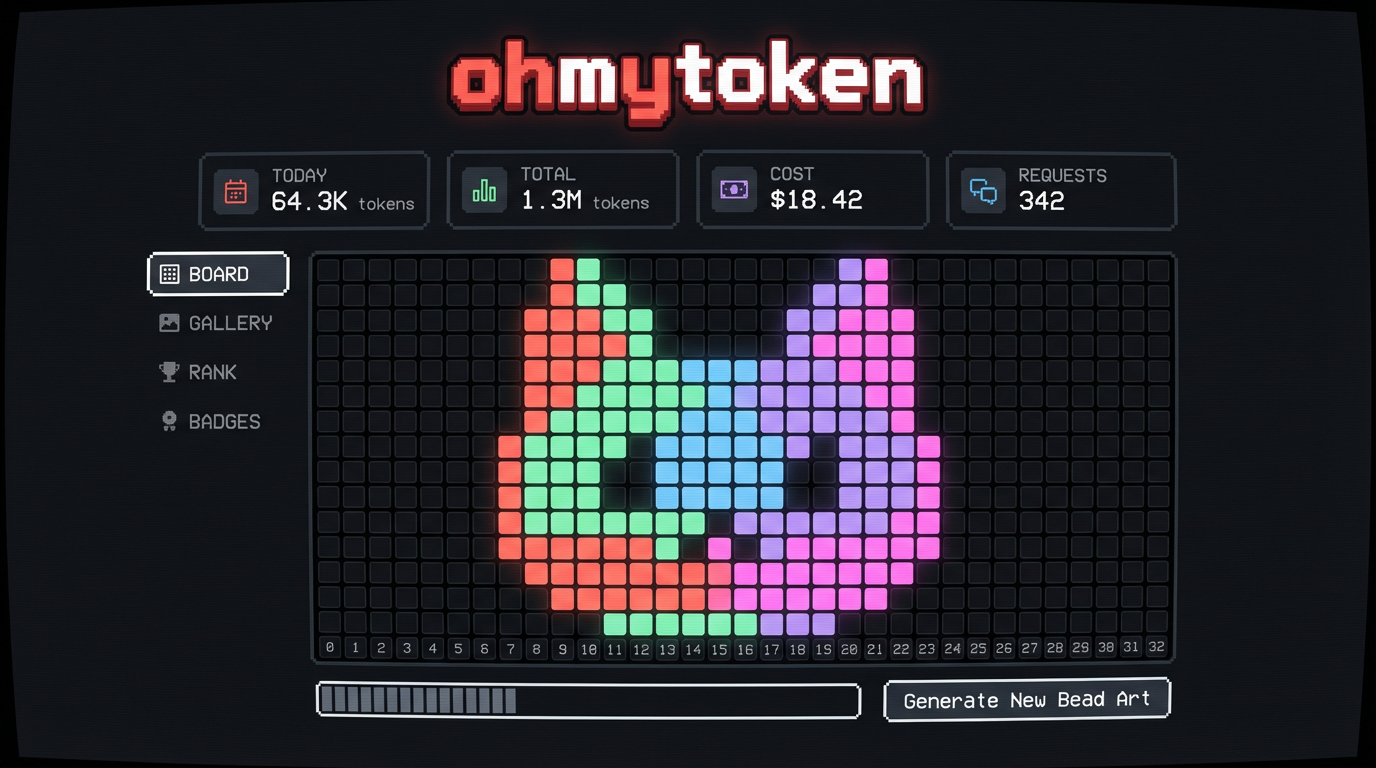
Ever wondered where all your tokens go? ohmytoken turns your invisible LLM spending into a mesmerizing pixel bead board that fills up as you chat, code, and create with AI.
Why You'll Love It
It's weirdly addictive. Each model gets its own color — Claude is coral, GPT is green, Gemini is blue. Watch your board fill up in spiral patterns, rain down like Tetris, or bloom from the center. Pick a cat-shaped board, a heart, a Mario mushroom, or a star. Your token art is unique to you.
It's social. Share your board as a pixel art card with a QR code. See how you rank against other developers. Unlock achievements like "Night Owl" (coding at 2AM) or "Millionaire" (1M tokens burned). Browse the gallery of everyone's boards.
Setup: 3 Steps, 2 Minutes
Step 1: Get Your API Key
- Go to ohmytoken.dev
- Click "GITHUB" or "GOOGLE" to sign in (one click, no passwords)
- You'll see a Welcome screen with your API Key — it looks like
omt_f9c399... - Click COPY to copy it
Step 2: Install the Skill
Run this in your terminal:
openclaw skill install @0x5446/ohmytoken
Step 3: Add Your API Key
Set the environment variable (recommended — won't leak via git):
export OHMYTOKEN_API_KEY="omt_paste_your_key_here"
Add this to your ~/.zshrc or ~/.bashrc, then source ~/.zshrc.
Done! Open ohmytoken.dev and watch the beads drop as you use AI.
Privacy & Security
We only collect token counts. Nothing else.
| What we send | What we NEVER send |
|---|---|
| Model name (e.g. "gpt-4o") | Your prompts |
| Prompt token count (integer) | Your responses |
| Completion token count (integer) | Your API keys to providers |
| Your files, code, or data | |
| Any conversation content |
The tracker sends exactly 3 fields per request: model, prompt_tokens, completion_tokens. That's it. Your prompts, responses, files, and code never leave your machine.
Note: Like any HTTP request, your IP address is visible to the server during the connection. We do not log or store IP addresses.
The OHMYTOKEN_API_KEY environment variable is the recommended way to configure your key — it stays out of version control and won't leak.
The source code is fully open: github.com/0x5446/ohmytoken-oss — audit it yourself.
What You Get
- Real-time bead board — tokens appear as colored pixels the moment you use them
- 7 board shapes — square, cat, heart, star, circle, diamond, mushroom
- 7 fill animations — sequential, spiral, center-out, random, snake, diagonal, rain
- 4 time views — today, this month, this year, all-time
- 10 achievements — from "First Burn" to "Millionaire"
- Leaderboards — total tokens, efficiency, model diversity, night owl
- Share cards — pixel art image + QR code + profile URL
- Embeddable badges — SVG badge for your GitHub README
- Wrapped reports — your personal token year-in-review
Zero Friction
- Works with every model OpenClaw supports
- Runs silently in the background, never interrupts your workflow
- Google/GitHub OAuth login, no new account to create
- Completely free
Questions? Issues? github.com/0x5446/ohmytoken-oss/issues
Made with pixels and love. ohmytoken.dev
Reviews (0)
No reviews yet. Be the first to review!
Comments (0)
No comments yet. Be the first to share your thoughts!